 RideLoop
Install RideLoop and link your Garmin Edge
The RideLoop bridge app brings loops from the website to your Edge wirelessly. Install it once, enter a code, and you're ready to send.
1. Install the bridge app
On your phone, download RideLoop from the Connect IQ Store, select your compatible Edge and sync. Keep the Edge paired with Garmin Connect on your phone, with Bluetooth and internet access.
2. Open RideLoop on your Edge
Open the installed RideLoop device app. It shows a six-character linking code. This code lasts 10 minutes; if it expires, request a new code on the Edge.
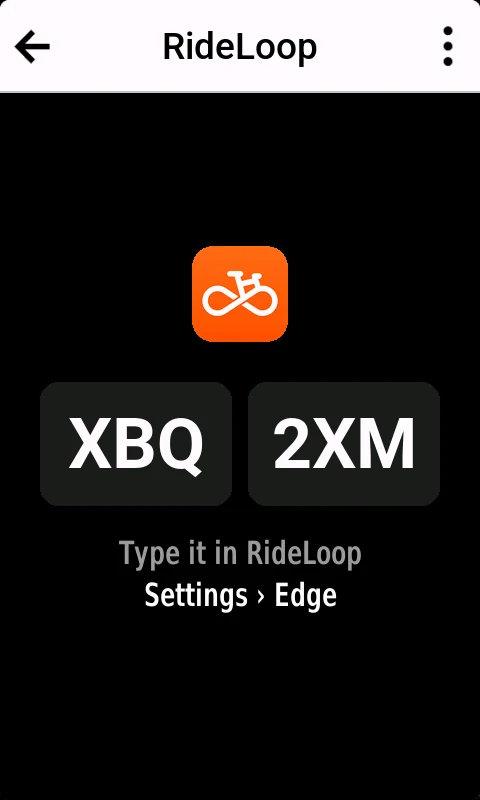
3. Enter the code in RideLoop
Open Settings › Edge and sign in to your RideLoop account. Enter the six-character code and press Link Edge. Your Edge confirms Linked to RideLoop. Use the same account you use to plan your loops.
4. Send your first loop
Build a loop on the website and press Send. Open RideLoop on the Edge to receive it, then choose Ride it to start Garmin navigation. The loop is saved in the Edge's Courses.
When RideLoop is closed on the Edge, background checks can take about five minutes. Open the app to receive the loop sooner.
Compatible devices
Edge 1050, 1040, 1030 Plus, 1030, 1030 Bontrager, 850, 840, 830, 550, 540, 530, Explore 2 and MTB. Check the store's compatible-device list before installing. Older models such as the Edge 130 cannot run this device app.
If something doesn't work
- App missing from search? Use the direct store link above. If Garmin cannot load the listing, try again later as the approved listing becomes available.
- No code or no connection? Check that Garmin Connect can reach your Edge and your phone is online, then reopen RideLoop on the Edge.
- Code expired? Generate a new code and enter it within 10 minutes.
- No loop arrived? Open RideLoop on the Edge, check the account and linked device in Settings › Edge, and check your plan's sends remaining.
- Reinstalled the app? Enter its new code in Settings › Edge.
Plans and the iPhone companion
Bronze includes 2 Edge sends and 1 new Edge loop a month; Silver includes 20 sends and 10 Edge loops; Gold has no limit. Compare plans.
The RideLoop iPhone companion app is coming soon. You can link and send from the website today.
Download RideLoop for your Garmin Edge · Link your Edge
Using another Garmin or a different bike computer? See the GPX and Garmin Connect guide.